Insider Tips: Extending the Lifespan of Your Smart TV – 5 Maintenance Hacks
Advertisements
Extending the lifespan of your smart TV is crucial for maximizing your investment. Implementing simple maintenance hacks can significantly improve its longevity and performance. This guide provides essential insider tips for every smart TV owner.
As smart televisions become central to modern home entertainment, their longevity is a key concern for consumers. Understanding how to properly maintain these complex devices is no longer optional but essential. This article delves into critical strategies to ensure your smart TV serves you for years to come.
Our focus today is on Insider Tips: Extending the Lifespan of Your Smart TV – 5 Maintenance Hacks. These insights are designed to empower owners with actionable advice. We aim to demystify smart TV care and highlight the simplicity of effective preservation.
Advertisements
The market for smart TVs continues to evolve rapidly, with new models offering advanced features. Protecting your investment means adopting proactive maintenance. These hacks are tailored to the latest technological considerations.
Optimizing Placement and Environment for Smart TV Longevity
The physical environment where your smart TV resides plays a pivotal role in its operational life. Proper placement can mitigate several common issues that lead to premature wear. This section explores how to create an ideal setting for your device.
Avoiding direct sunlight and ensuring adequate ventilation are primary considerations for any smart TV. These factors directly influence internal component temperatures. Overheating is a silent killer for electronic devices.
Dust accumulation is another significant environmental threat to your smart TV. It can impede cooling systems and cause internal shorts. Regular, gentle cleaning of the surrounding area is highly recommended.
The Impact of Temperature and Ventilation on Components
High temperatures can degrade internal components such as capacitors and processors over time. Ensuring proper airflow around your smart TV is critical. Never block the ventilation grilles on the back or sides of the unit.
Placing your TV in an enclosed cabinet without sufficient air circulation can trap heat. This significantly reduces the efficiency of the internal cooling mechanisms. Always leave several inches of space around the TV for air movement.
Protecting Against Dust and Environmental Contaminants
Dust acts as an insulator, trapping heat and preventing efficient cooling of internal circuits. It can also cause static electricity build-up, attracting more particles. Regular dusting with a dry, soft cloth is a simple yet effective maintenance hack.
Beyond dust, smoke, and pet dander can also contribute to internal buildup. These particles can be more corrosive or obstructive than typical household dust. Consider air purifiers in rooms with smart TVs to reduce airborne contaminants.
Power Management and Surge Protection: Essential Safeguards
Fluctuations in electrical power are a common yet often overlooked threat to smart TV longevity. Implementing robust power management strategies protects your device from sudden spikes and dips. This section details vital protective measures.
Surge protectors are non-negotiable for any valuable electronic equipment, including smart TVs. They act as a buffer against electrical inconsistencies. Their role in extending the lifespan of your smart TV is paramount.
Beyond hardware, understanding how to properly power down your TV is also important. This prevents unnecessary wear and tear on internal components. It’s a key part of Insider Tips: Extending the Lifespan of Your Smart TV – 5 Maintenance Hacks.
Investing in Quality Surge Protectors and UPS Systems
A high-quality surge protector diverts excess voltage away from your smart TV, preventing damage from power surges. Look for models with a joule rating of at least 1000 for adequate protection. This small investment can save you from costly repairs or replacement.
For more comprehensive protection, especially in areas prone to frequent power outages, an uninterruptible power supply (UPS) is advisable. A UPS provides battery backup power, allowing for a safe shutdown. This prevents abrupt power loss that can corrupt software or damage hardware.
Best Practices for Powering On and Off
Avoid frequently unplugging your smart TV from the wall outlet unless necessary. This can cause micro-surges each time it’s reconnected. Instead, use the remote control or power button on the TV itself for daily operations.
For extended periods of absence, such as vacations, unplugging the TV is a sensible precaution. This completely isolates it from potential power grid issues. It also reduces phantom power consumption, a small but continuous drain on electricity.
Screen Care and Cleaning: Preserving Visual Integrity
The screen is arguably the most critical and delicate component of your smart TV. Proper care and cleaning are essential for maintaining picture quality and preventing damage. This directly contributes to extending the lifespan of your smart TV.
Using the correct cleaning agents and techniques is paramount to avoid scratching or damaging the sensitive display. Harsh chemicals or abrasive materials can cause permanent blemishes. Follow manufacturer guidelines closely for optimal results.
Regular, gentle cleaning not only keeps your screen looking pristine but also prevents dust buildup from affecting clarity. This simple routine is a core component of Insider Tips: Extending the Lifespan of Your Smart TV – 5 Maintenance Hacks.
Gentle Cleaning Techniques for Smart TV Displays
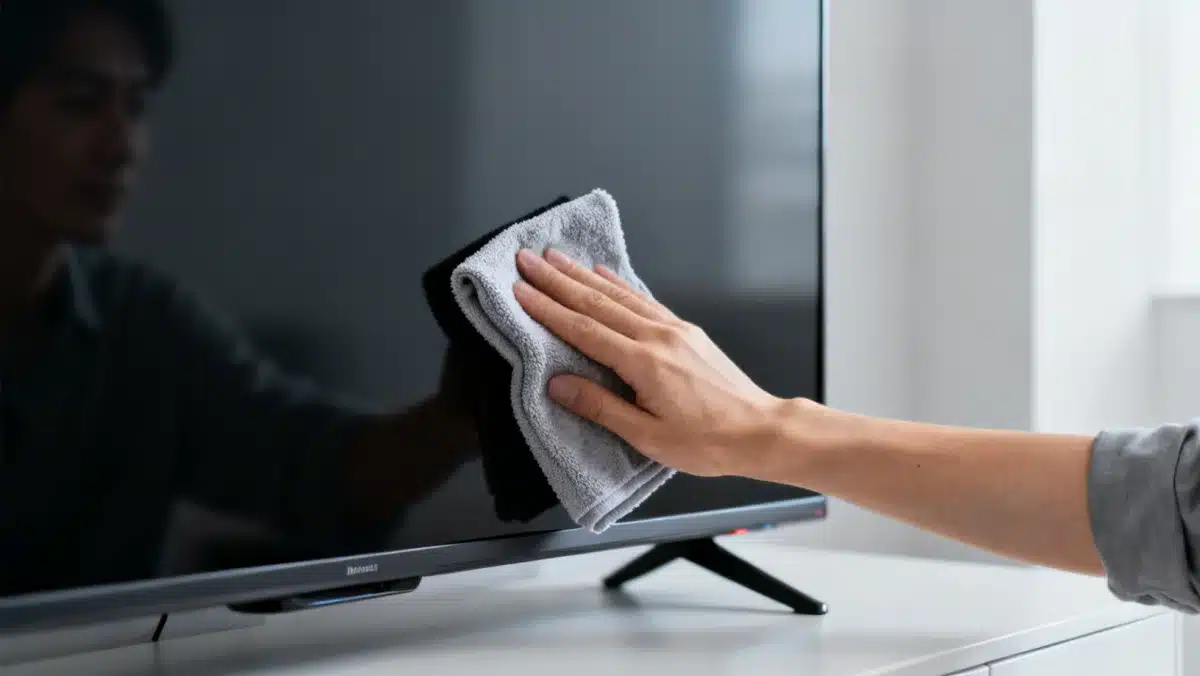
Always use a soft, dry microfiber cloth specifically designed for electronics. These cloths effectively remove dust and fingerprints without leaving streaks or scratches. Never use paper towels or rough fabrics, as they can abrade the screen surface.
For tougher smudges, lightly dampen a corner of the microfiber cloth with distilled water. Avoid spraying water directly onto the screen, as it can seep into the bezels and damage internal components. Wipe gently in one direction, then dry with a clean, dry section of the cloth.
- Always power off and unplug your TV before cleaning the screen.
- Use only specialized screen cleaning solutions, if necessary, and sparingly.
- Avoid ammonia, alcohol, or abrasive cleaners at all costs.
- Wipe the screen gently and evenly to prevent pressure damage.
Avoiding Screen Burn-in and Image Retention
While modern smart TVs, especially LCD and LED models, are less susceptible to burn-in than older technologies like plasma, it’s still good practice to avoid displaying static images for extended periods. This includes channel logos or paused video game screens.
Utilize screen savers or dynamic content when the TV is idle to prevent potential image retention. Many smart TVs have built-in features to mitigate this, such as pixel shifting or screen refresh cycles. Activating these can further extend the lifespan of your smart TV’s display.
Software Updates and Connectivity: Maintaining Optimal Performance
Beyond physical care, the digital health of your smart TV is equally important for its longevity. Regular software updates and stable network connectivity ensure optimal performance and security. This is a crucial aspect of smart TV lifespan extension.
Manufacturers frequently release firmware updates to fix bugs, enhance features, and improve overall system stability. Neglecting these updates can lead to performance issues or security vulnerabilities. Keeping your software current is a vital maintenance hack.
A stable internet connection also impacts how efficiently your smart TV operates. Poor connectivity can cause buffering, app crashes, and unnecessary strain on the TV’s processor. These elements are key to Insider Tips: Extending the Lifespan of Your Smart TV – 5 Maintenance Hacks.
Importance of Regular Firmware and App Updates
Always allow your smart TV to download and install available firmware updates. These updates often include critical security patches that protect your device from emerging threats. They can also introduce performance optimizations, making your TV run smoother and faster.
Similarly, keep all installed applications up to date. Outdated apps can become incompatible with the TV’s operating system, leading to crashes or reduced functionality. Most smart TV platforms offer automatic updates for apps, which should be enabled.
Ensuring Stable Network Connectivity
A strong and stable Wi-Fi connection is essential for your smart TV’s performance. Position your Wi-Fi router optimally and ensure minimal interference from other devices. Consider using a wired Ethernet connection for the most reliable performance, especially for 4K streaming.
Poor connectivity can force your TV to constantly re-establish connections or struggle with data streaming. This puts additional stress on the TV’s networking hardware and processor. A stable connection reduces this strain, contributing to the overall longevity of the device.
Calibrating Settings and Responsible Usage: Maximizing Efficiency
Adjusting your smart TV’s settings and adopting responsible usage habits can significantly impact its operational life. Overdriving certain components or running the TV at maximum intensity continuously can accelerate wear. This section focuses on efficient operation.
Proper picture calibration not only enhances your viewing experience but also reduces strain on the display panel. It’s a subtle yet effective method for extending the lifespan of your smart TV. This forms part of the comprehensive approach to maintenance.
Mindful usage, such as turning off the TV when not in use, conserves energy and minimizes component fatigue. These practices are integral to the philosophy behind Insider Tips: Extending the Lifespan of Your Smart TV – 5 Maintenance Hacks.
Picture Settings and Energy Efficiency
Avoid setting your TV’s brightness, contrast, and backlight levels to their absolute maximum. While this might seem to produce a more vibrant image initially, it puts unnecessary stress on the LEDs or OLED pixels. Calibrate your picture settings to a comfortable level suitable for your viewing environment.
Utilize your smart TV’s energy-saving modes. These modes often automatically adjust brightness and other settings to reduce power consumption. This not only saves electricity but also lowers the operating temperature of the display, thereby helping to extend the lifespan of your smart TV.
Mindful Usage and Standby Habits
Make a conscious effort to turn off your smart TV when you’re not actively watching it. While modern TVs have low power consumption in standby mode, completely powering down when not needed for extended periods is beneficial. This reduces continuous electrical flow and heat generation.
Avoid leaving your TV on as background noise for hours on end. The cumulative effect of constant operation contributes to component degradation over time. Practicing mindful usage can significantly prolong the life of your device. These insider tips are simple to implement.
What this means
The commitment to proactive care for your smart TV translates directly into tangible benefits: extended service life, consistent performance, and delayed replacement costs. These Insider Tips: Extending the Lifespan of Your Smart TV – 5 Maintenance Hacks are not merely suggestions but essential practices for 2026. As technology advances, understanding the subtle nuances of device preservation becomes increasingly critical. Implementing these strategies ensures your smart TV remains a high-performing centerpiece of your home entertainment for many years, reflecting a savvy approach to consumer electronics investment.